Building a website for your business can feel overwhelming, especially if you’ve never done it before. With so many website builders, templates, hosting providers, and design advice available, it’s easy to wonder where to begin.
The good news is that creating a professional business website doesn’t have to be complicated. With the right plan and tools, you can build a website that showcases your brand, connects with your ideal audience, and supports your business goals, without needing to know how to code.
In this step-by-step guide, you’ll learn how to create a website for your business, from choosing the right platform and planning your pages to optimizing your site for search engines and launching with confidence. Whether you’re starting a brand-new business or finally ready to establish your online presence, this guide will walk you through each step of the process.
Before You Build Your Business Website
Before you start building your business website, remember this: you don’t need to have everything figured out.
Many new business owners delay creating their website because they’re waiting until their branding is perfect, their messaging is polished, or every detail of their business is finalized. The truth is, your website can grow and evolve alongside your business.
To get started, it’s helpful to have a few basics in place:
- A business name (or at least a working name)
- A general idea of your products or services
- A clear understanding of who you want to serve
- A logo and brand colors (optional—you can always refine these later)
- A few high-quality photos of yourself, your work, or your products
- A way for people to contact you, such as an email address or contact form
Don’t worry if everything isn’t perfect yet. Your first website doesn’t need to be your forever website. The goal is to create a professional online presence that helps people learn about your business and trust you enough to sign up for your service or purchase your product.
How Long Does It Take to Create a Website for Your Business?
One of the most common questions new business owners ask is, “How long does it take to build a website?”
The answer depends on several factors, including the size of your website, the platform you choose, how much content you already have prepared, and whether you’re building it yourself or hiring a designer.
If you’re creating your own website using a professionally designed template, the process can be much faster than starting from scratch. On the other hand, if you’re trying to build it on your own from scratch, writing your website copy, choosing branding, and learning a new platform at the same time, it’s natural for the process to take longer.
Rather than focusing on how quickly you can finish, focus on creating a website that clearly communicates who you are, what you offer, and how people can work with you. A well-planned website is far more valuable than a rushed one.
So, don’t try to build everything in a single day. This will cause you to feel overwhelmed. Take it slow and enjoy this part of your business journey. By following the steps in this guide, you can work through the process one step at a time and launch a website you’re proud of.

How to Create a Website for Your Business
01. Decide What You Want Your Website to Do
Before choosing a website platform or template, take a step back and think about the purpose of your website. Every successful business website is built with a clear goal in mind.
Ask yourself:
- Do I want to generate leads?
- Am I selling products or services?
- Do I want people to book appointments?
- Am I building an email list?
- Do I simply want to establish an online presence?
Your answers will influence everything from your website’s layout to the pages you include and the platform you choose.
Next, think about your ideal audience. Who are you trying to reach? Understanding your audience will help you create a website that speaks directly to their needs, answers their questions, and encourages them to take action.
Finally, consider where your business is today. A brand-new business may need only a few essential pages to get started, while a more established business might benefit from additional pages such as a blog, portfolio, or resource library.
By defining your goals, audience, and stage of business before you begin building, you’ll make better decisions throughout the entire website creation process.
💡 Quick Planning Exercise
Before moving on to the next step, write down:
- Your website’s primary goal
- Your ideal audience
- The one action you want visitors to take when they land on your website
02. Choose the Right Website Platform
Choosing the right website platform is one of the biggest decisions you’ll make when creating your business website. The best platform for you depends on your goals, budget, technical comfort level, and how much flexibility you want as your business grows.
Fortunately, you don’t need to know how to code to build a professional website. Today’s website builders offer a variety of tools and templates that make it easy for beginners to get started.
Here’s a comparison of some of the most popular website platforms for small businesses:
| Platform | Best For | Pros | Cons |
|---|---|---|---|
| Showit | Coaches, creatives, and service-based businesses | Easy drag-and-drop design, complete creative freedom, good SEO functionality, integrates with WordPress for blogging | Higher monthly cost than some platforms, e-commerce features are more limited |
| WordPress | Businesses that want maximum flexibility and scalability | Highly customizable, excellent SEO capabilities, thousands of plugins, and themes | Steeper learning curve, requires separate hosting and ongoing maintenance |
| Squarespace | Beginners looking for an all-in-one solution | Beautiful templates, hosting included, easy to use | Less design flexibility, fewer customization options |
| Wix | Small businesses and beginners | User-friendly editor, affordable plans, large app marketplace | Can become limiting as your business grows; design flexibility varies by template |
As you compare platforms, think beyond where your business is today. Consider where you want your business to be a year or two from now. Choosing a platform that can grow with your business can save you time and effort in the future.
If you’re looking for a platform that combines creative freedom with an easy editing experience, Showit is an excellent choice for many service-based businesses and entrepreneurs.
Need a more comprehensive comparison of the best website builders? Check out our recent guide: The 5 Best Website Builders for Small Businesses.
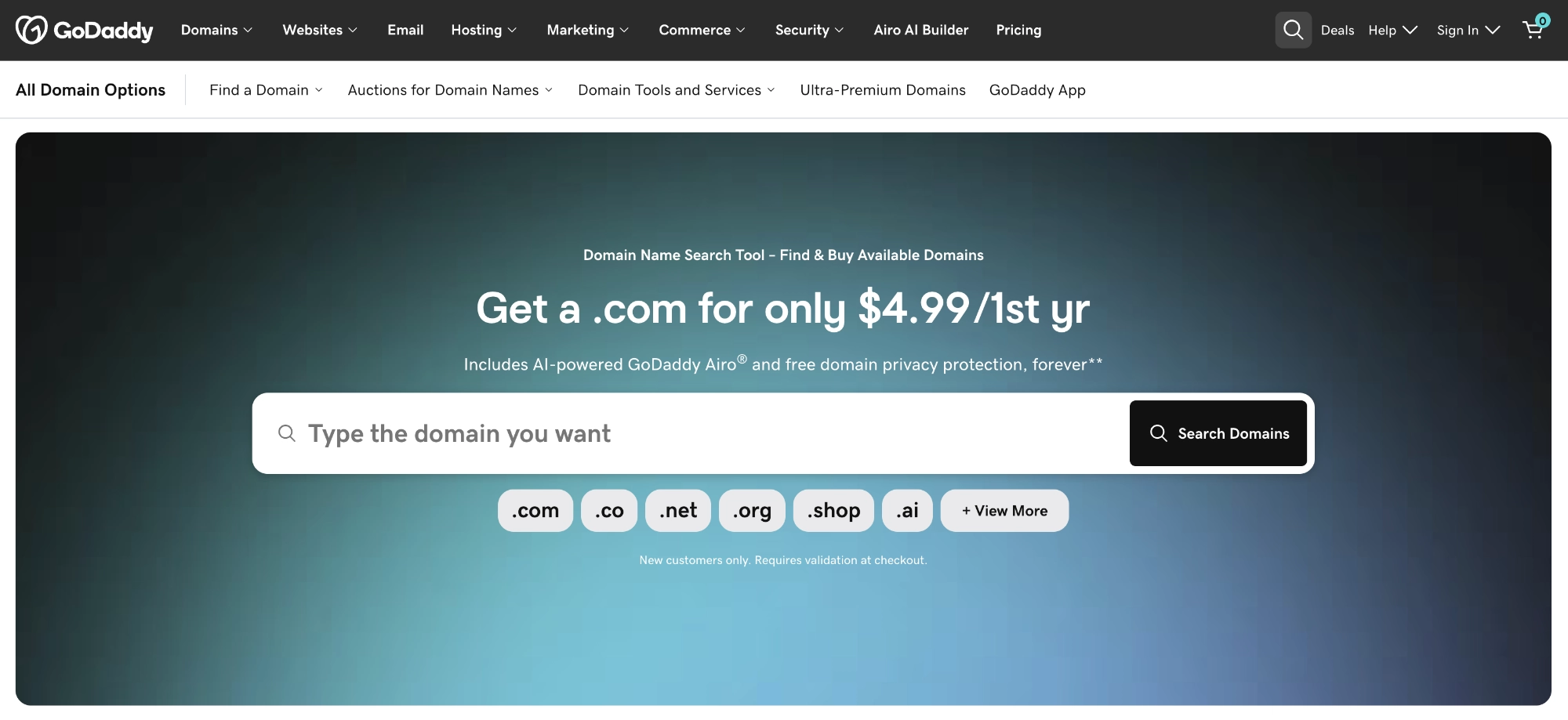
03. Register a Domain Name
Your domain name is your website’s address on the internet. It’s what people type into their browser to find your business, such as www.yourbusiness.com.
A good domain name should be easy to remember, easy to spell, and closely aligned with your business or brand. Whenever possible, keep it short and avoid unnecessary words, numbers, or special characters that could make it harder for people to remember.
Here are a few tips for choosing a domain name:
- Use your business name if it’s available.
- Keep it simple and memorable.
- Choose a .com extension whenever possible, since it’s the most widely recognized and trusted. If your preferred domain isn’t available, extensions like .co, .net, or .org can also be good options depending on your business.
- Avoid hyphens, numbers, and unusual spellings that could confuse visitors.
- Think long-term. Choose a domain name that can grow with your business.
Before purchasing a domain, double-check that the name is available on social media platforms as well. While your handles don’t have to match exactly, having a consistent brand name across your website and social channels makes it easier for people to find and remember your business.
Once you’ve found the right domain name, register it through a reputable domain registrar such as GoDaddy or Namecheap. Many website platforms also offer domain registration during the setup process, making it easy to connect your domain to your website.
04. Understand Website Hosting
If you’ve been researching how to create a website for your business, you’ve probably come across the term website hosting. While it may sound technical, the concept is actually quite simple.
Think of your website as a house. Your domain name is the address that helps people find your house, while website hosting is the land your house is built on. Without hosting, your website wouldn’t have a place to live on the internet.
Whether you need to purchase hosting separately depends on the website platform you choose.
When You Don’t Need Separate Hosting
Many all-in-one website platforms include hosting as part of your monthly subscription. This means you don’t have to purchase hosting from a separate provider.
Platforms that include hosting include:
- Showit
- Squarespace
- Wix
These platforms handle the technical aspects of hosting for you, making them a great option for beginners.
When You Do Need Separate Hosting
If you build your website with WordPress.org, you’ll need to purchase hosting from a hosting provider before your website can go live.
Your hosting provider stores your website files and makes them accessible to visitors online. Many hosting companies also offer additional features like website backups, security, and performance optimization.
Which Option Is Best?
If you’re looking for the simplest setup, an all-in-one platform like Showit, Squarespace, or Wix can make the process much easier.
If you want maximum flexibility and customization, WordPress is an excellent choice, but it does come with a few additional technical responsibilities, including choosing and managing your own hosting.
The right choice ultimately depends on your business goals, budget, and comfort level with technology.
05. Plan Your Website Pages
Now that you’ve chosen your platform and understand the basics of domains and hosting, it’s time to plan the pages your website will include.
Think of each page as part of your visitor’s journey. Together, your pages should answer their questions, build trust, and guide them toward taking the next step, whether that’s contacting you, booking a service, or making a purchase.
Most business websites should include these essential pages:
| Page | Purpose |
|---|---|
| Home | Introduce your business, explain what you do, and guide visitors to the most important areas of your website. |
| About | Share your story, mission, and the people behind your business to help build trust and connection. |
| Services or Products | Clearly explain what you offer, who it’s for, and how customers can work with or buy from you. |
| Contact | Make it easy for people to get in touch by including a contact form, email address, phone number, or other preferred contact methods. |
| Blog (Optional but Recommended) | Share helpful content, improve your SEO, and establish your expertise over time. |
Depending on your business, you may also want to include pages such as a portfolio, testimonials, FAQs, resources, or an online shop.
As your business grows, your website can grow with it. You don’t have to launch with every page imaginable. Start with the essentials, then add new pages as your business evolves.
06. Choose a Website Template
One of the easiest ways to create a website for your business is by starting with a professionally designed website template. Rather than building every page from scratch, a template provides a strategic foundation that you can customize to match your brand.
A good website template doesn’t just make your website look beautiful; it also helps you organize your content, create a better user experience, and launch your website faster.
When choosing a website template, look for one that:
- Fits your industry or business type
- Includes the pages you need
- Is mobile responsive
- Has a clean, easy-to-navigate layout
- Is easy to customize with your own branding
While free templates can be a great starting point, premium templates often include more thoughtful layouts, better design, and strategic page structures that save you time and help your website feel more polished.
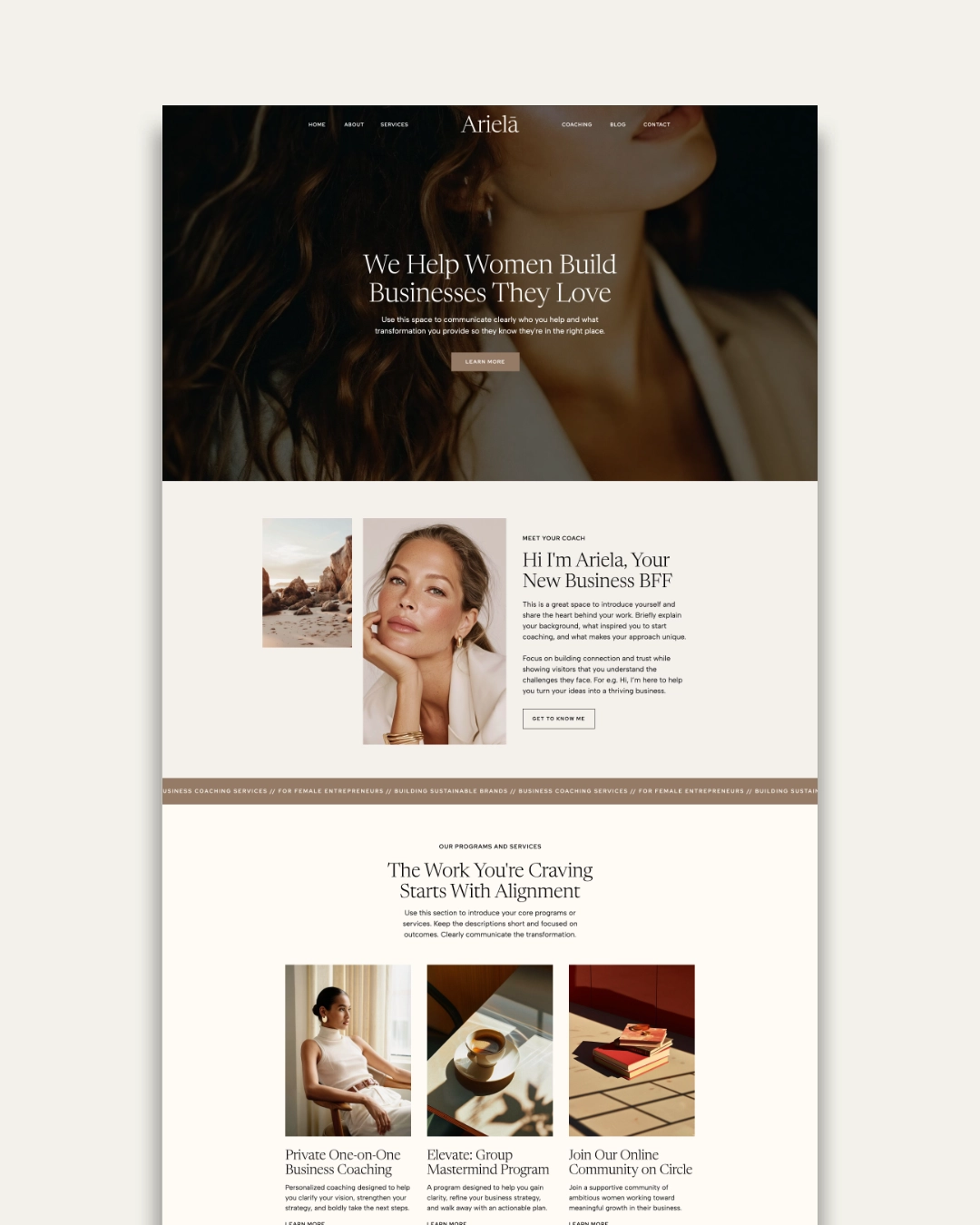
If you’re building a service-based business, templates like Ariela are designed to help you create a professional website with confidence. Instead of spending hours trying to design every page yourself, you can focus on customizing the content, colors, fonts, and images to reflect your unique brand.
Remember, a template is simply a starting point. The goal is to create a website that reflects your business while saving you time and effort.

07. Write Your Website Copy
Now it’s time to bring your website to life with words.
For many business owners, writing website copy feels like the hardest part of creating a website for your business. The good news is that you don’t have to be a professional copywriter to create content that connects with your audience.
Instead of trying to sound clever or impress your visitors, focus on being clear, helpful, and authentic.
As you write your website copy, keep these tips in mind:
- Speak directly to your ideal client. Write as though you’re having a conversation with the person you most want to serve.
- Focus on benefits, not just features. Instead of simply listing what you offer, explain how your products or services solve a problem or improve your customer’s life.
- Keep your content clear and easy to scan. Use headings, short paragraphs, and bullet points to make your website easy to read.
- Include a clear call to action. Tell visitors what you’d like them to do next, whether that’s contacting you, booking a consultation, or making a purchase.
- Don’t aim for perfection. Your website copy can always be refined over time. It’s more important to publish a website that clearly communicates your value than to spend months rewriting every sentence.
Remember, your website isn’t about saying everything, it’s about saying the right things. Clear, confident messaging helps visitors quickly understand who you are, what you offer, and why they should choose your business.
💡 Quick Copywriting Tip
Before publishing each page, ask yourself these three questions:
- Does this page clearly explain what I do?
- Does it speak to the people I want to serve?
- Does it tell visitors what to do next?
If you can answer yes to all three, you’re well on your way to creating a website that works for your business.
08. Customize Your Business Website
One of the most rewarding parts of creating a website for your business is making it reflect your unique brand. This is where your website begins to feel less like a template and more like an authentic representation of your business.
Your branding helps communicate your personality, values, and professionalism before visitors ever read a word of your website copy.
Below is an image showing how to customize one of our Showit website templates to make it feel like your brand.
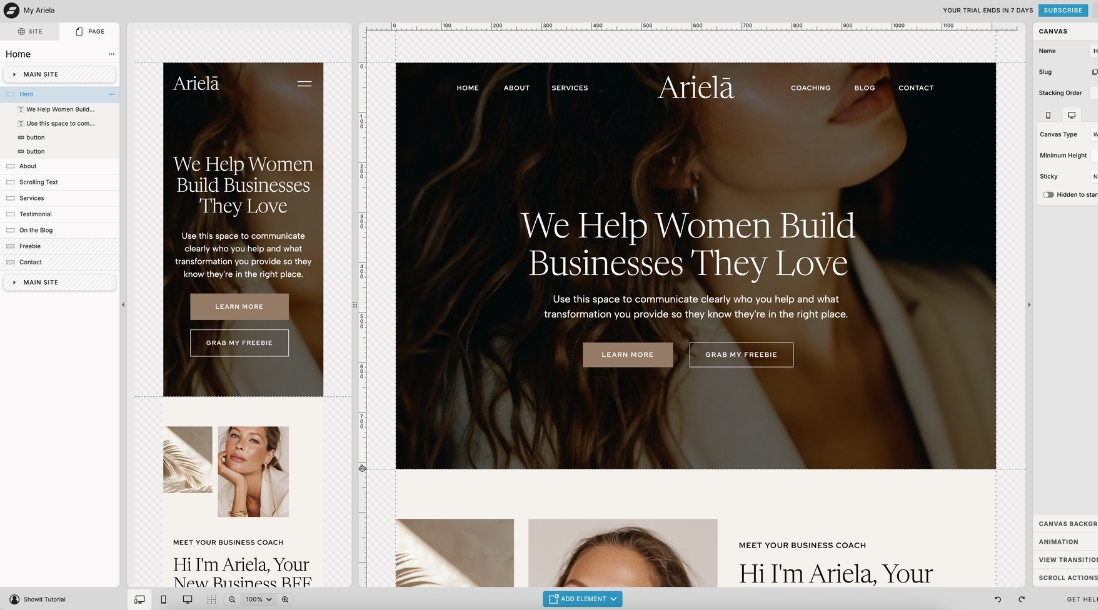
As you customize your website, pay attention to these key elements:
Colors
Choose a color palette that reflects your brand and use it consistently throughout your website. Consistent colors create a cohesive, professional look and make your business more recognizable.
Fonts
Select one or two fonts that are easy to read and align with your brand’s personality. Avoid using too many different fonts, as this can make your website feel cluttered and inconsistent.
Images
Use high-quality images that represent your business and resonate with your audience. Whether you choose professional brand photography or thoughtfully selected stock photos, your images should support your message and help build trust.
Logo
If you have a logo, display it consistently across your website. If you’re just starting out and don’t have one yet, don’t let that stop you from launching your website. A simple text-based logo or business name can work well until you’re ready to invest in professional branding.
Keep It Consistent
As you customize your website, aim for consistency across every page. Using the same colors, fonts, buttons, and visual style creates a polished experience and helps visitors recognize your brand wherever they go on your website.
Remember, your website doesn’t have to be elaborate to be effective. A clean, consistent design that reflects your brand will almost always outperform a website that’s cluttered or trying to do too much.
💡 Branding Tip
Your website should feel like a natural extension of your business. Every design choice, from your colors and typography to your imagery and messaging, should work together to create a cohesive experience for your visitors.
09. Optimize Your Website for SEO
Creating a beautiful website is only part of the process. If you want people to find your business through search engines such as Google and Bing, you’ll also need to optimize your website for SEO (Search Engine Optimization).
SEO helps search engines understand what your website is about so they can show it to people searching for your products or services.
While SEO can seem overwhelming at first, there are a few simple things you can do to improve your website’s visibility:
- Choose a target keyword for each page.
- Write clear page titles and meta descriptions.
- Use headings to organize your content.
- Optimize your images with descriptive file names and alt text.
- Link to other relevant pages on your website.
- Create helpful, valuable content that answers your audience’s questions.
You don’t have to become an SEO expert overnight. Small improvements made consistently can have a meaningful impact over time.
If you’d like a more detailed walkthrough, check out our post: On-Page SEO: The Ultimate Checklist to Optimize Your Website, where we cover each of these best practices in greater depth.
10. Test Everything Before You Launch
Before you publish your website, take a little time to test everything. A few final checks can help you catch small issues before your visitors see them and ensure your website provides a smooth, professional experience.
Use this checklist before launching your website:
- Test your website on mobile devices. Make sure your pages look great and are easy to navigate on phones and tablets.
- Click every link. Verify that buttons, navigation menus, and internal links all take visitors to the correct pages.
- Submit your contact form. Send yourself a test message to confirm it’s working properly.
- Review your content. Check for spelling errors, broken formatting, and inconsistent spacing.
- Check your page speed. Make sure your pages load quickly and that images are optimized for the web.
- Ask someone else to review your website. A fresh set of eyes can often spot mistakes or confusing areas that you’ve overlooked.
Taking a few extra minutes to test your website before launch can help you avoid common issues and create a better first impression for your visitors.
And, it’s completely normal to find a small typo or make a few tweaks after your website goes live. Remember, the goal is to launch a website that’s functional, professional, and provides value so you can start attracting the right clients.
11. Publish Your Website
Congratulations! You’ve made it to the final step.
After planning, designing, writing, and testing your website, it’s time to share it with the world. While clicking the “Publish” button can feel a little nerve-wracking, remember that your website doesn’t have to be perfect to be effective.
Every successful business website starts somewhere. In fact, many websites continue to evolve long after they’re launched. You can always update your content, refine your design, add new pages, and improve your SEO as your business grows.
So, take a moment to celebrate what you’ve accomplished. Creating a website for your business is a significant milestone, and by launching it, you’re creating new opportunities for people to discover your brand, connect with your business, and become future customers or clients.
When your website goes live, it’s time to share it with confidence.

Share Your Website With the World
Launching your website is just the beginning.
After your website is live, consider taking these next steps:
- Announce your website on social media.
- Share it with friends, family, and existing customers.
- Add your website to your email signature.
- Create a Google Business Profile (if applicable).
- Continue publishing helpful content to improve your SEO and grow your online presence.
Remember, your website is a living part of your business. Keep updating it, improving it, and letting it grow alongside you.
Closing Thoughts
Learning how to create a website for your business may seem like a big undertaking, but it doesn’t have to be overwhelming. By taking the process one step at a time, you can build a website that not only looks professional but also supports your business goals and helps you connect with the people you want to serve.
Remember, your website is more than just an online presence, it’s often the first impression people have of your business. A thoughtfully planned website can build trust, communicate your value, and encourage visitors to take the next step.
Most importantly, don’t wait until everything is perfect before you launch. Your website can evolve alongside your business. As you gain more experience, you’ll continue refining your messaging, improving your SEO, and adding new content that serves your audience.
Ready to Create Your Own Website?
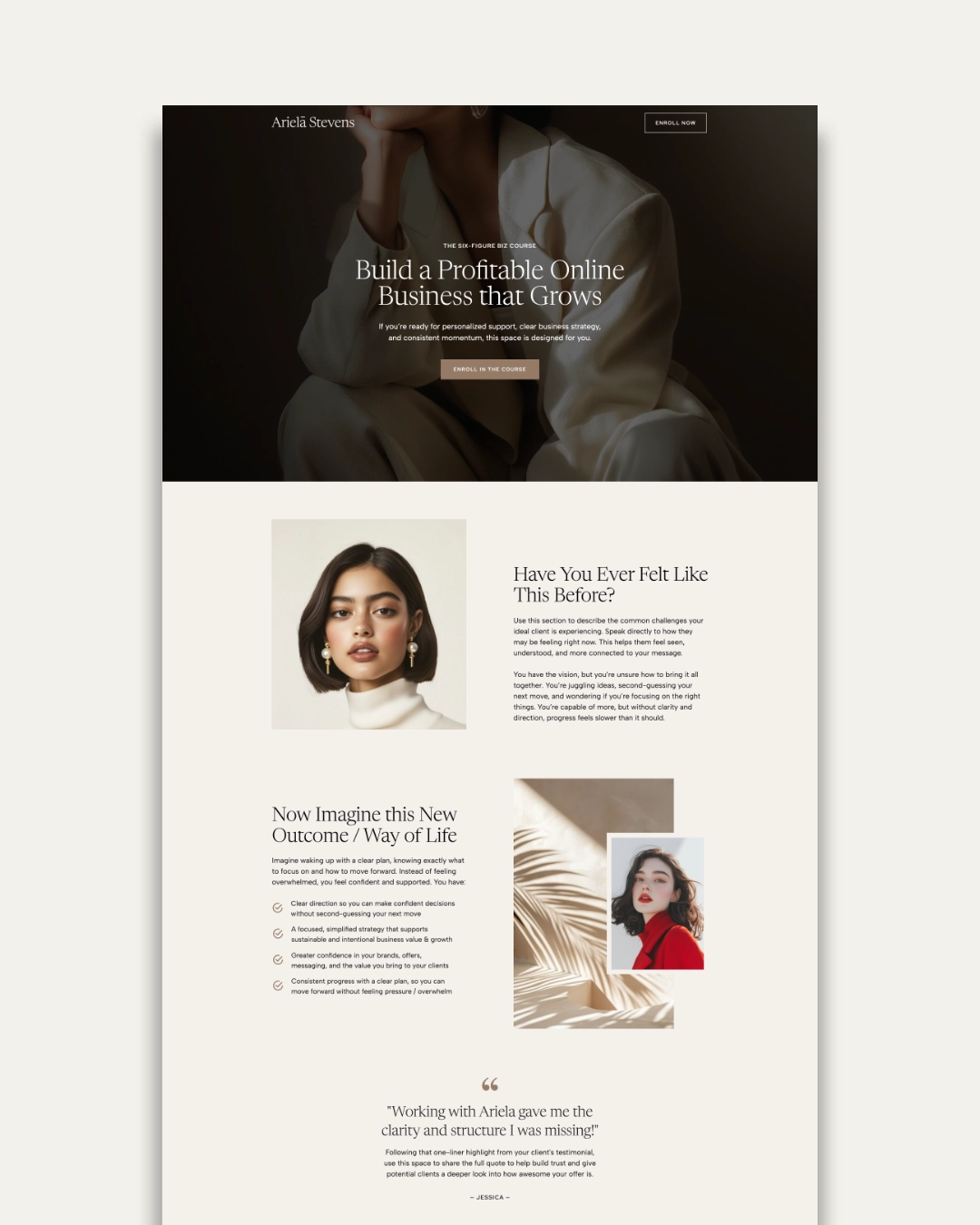
If you’re looking for a faster way to create a professional business website, explore our Showit Website Templates. They are designed to help service-based business owners launch with confidence using strategic page layouts, guided copy prompts, and easy-to-customize designs, so you can spend less time building your website and more time growing your business.
Don’t want to build it yourself? Check out our Web Design Service for Small Businesses.
Frequently Asked Questions
Yes! Many modern website platforms, including Showit, Squarespace, and Wix, are designed for beginners and don’t require any coding experience. With a professionally designed website template, you can customize your website using drag-and-drop tools while focusing on your content and branding instead of technical details.
The cost of creating a business website can vary depending on whether you build it yourself or hire a professional.
If you’re creating your own website, you can typically expect to invest between $200 and $1,000 to get started. This usually includes your domain name, website platform or hosting, and a premium website template.
If you hire a professional web designer for a fully custom website, costs often start around $4,000 to $7,000 for a basic custom site and can increase significantly depending on the project’s size, functionality, and level of customization.
For many small business owners, using a professionally designed website template offers a happy medium. You get a strategic, polished design at a fraction of the cost of a custom website while still having the flexibility to personalize it for your business.
The best website platform depends on your goals and the type of business you have. Platforms like Showit are ideal for service-based businesses that want creative design flexibility, while WordPress offers extensive customization and scalability. Squarespace and Wix are also great options for beginners looking for an all-in-one website solution.
Most small business websites can launch successfully with five essential pages:
- Home
- About
- Services or Products
- Contact
- Blog (optional but recommended)
As your business grows, you can always add pages like FAQs, testimonials, a portfolio, or resources.
The right choice depends on your budget, timeline, and business needs. Building your own website is a great option if you’re comfortable learning a new platform and want a cost-effective solution. Hiring a web designer can save time and provide a more customized experience if you need advanced functionality or a unique design. Many entrepreneurs find that using a professionally designed website template offers the best of both worlds—professional design with the flexibility to customize it yourself.
Every project is different, but the timeline often depends on how prepared you are with your content, branding, and images. Using a professionally designed website template can significantly speed up the process, while creating everything from scratch typically takes longer.
On average, a simple 5 – 7 page business website can take between 1 – 3 weeks to create. While, a fully custom website can take 4 – 12 weeks, depending on the amount of content and required functionality.
Creating your website is only the first step. To attract visitors, you’ll need to promote your website and invest in strategies like search engine optimization (SEO), content marketing, email marketing, and social media. Publishing helpful blog posts and optimizing your website for relevant keywords can help improve your visibility over time.
For more SEO tips, check out our On-Page SEO: The Ultimate Checklist to Optimize Your Website.