If you’ve been searching for the best website builder for small businesses, you’ve probably discovered one thing pretty quickly: there are a lot of options.
Showit. WordPress. Squarespace. Wix. Shopify. And somehow, every platform seems convinced it’s the one you need. Before you know it, you have twelve tabs open, and you’re no closer to deciding than when you started.
Here’s the thing, though: there is no single website builder that is best for every small business. The right choice depends on what you need your website to do, how comfortable you are with technology, your budget, and how you want your website to grow alongside your business.
In this guide, we’ll compare five popular website platforms – Showit, WordPress, Squarespace, Wix, and Shopify – and look at the strengths and limitations of each. We’ll also compare factors like ease of use, design flexibility, SEO, e-commerce, pricing, and scalability to help you decide which platform makes the most sense for your business.
By the end, you’ll have a much clearer idea of which website builder fits your needs, and hopefully you’ll be able to close some of those tabs.
What Is a Website Builder?
A website builder is a tool that allows you to create and manage a website without having to build everything from scratch or write code. Most website builders provide an editor, design templates, and built-in tools that make creating a professional website much easier, even if you’re not a web designer or developer.
You may also hear terms like website platform or content management system (CMS) used when researching your options. While there are some technical differences between them, they all serve a similar purpose: giving you the tools and technology you need to create, publish, and manage your website.
Some platforms, like Showit, Squarespace, and Wix, offer an all-in-one experience that includes your website builder and hosting. Others, like WordPress.org, require you to arrange hosting separately but give you more control over how you build and expand your website.
The important thing is that you don’t need to understand every technical detail before choosing a platform. What matters most is finding one that supports what you need your website to do now, while giving your business room to grow.
If you’re starting from scratch, our How to Create a Website for Your Business Guide walks you through the entire website-building process, from choosing a domain name to launching your site.
What Should You Look for in a Small Business Website Builder?
Before comparing website platforms, it helps to know what you need. The best website builder for your small business isn’t necessarily the one with the most features. It’s the one that gives you the right features for your business without unnecessarily complicating your life.
Here are some of the most important factors to consider:
Ease of Use
Think about how comfortable you are with technology and how involved you want to be in managing your website.
Can you easily update your content, add a new page, publish a blog post, or change an image yourself? Even if someone else builds your website initially, choosing a platform you feel comfortable maintaining can save you a lot of frustration later.
Design and Customization
Your website should feel like an extension of your brand, so consider how much creative freedom you want.
Some website builders offer highly customizable design capabilities, while others rely more heavily on structured layouts. Neither approach is necessarily better. If you want complete creative freedom, flexibility may be a priority. If you’d rather have more design guardrails, a structured platform might actually make your life easier.
SEO Capabilities
If attracting visitors through search engines is part of your marketing strategy, make sure your platform gives you control over important SEO elements such as page titles, meta descriptions, URLs, image alt text, and headings.
You may also want blogging capabilities if creating helpful, search-optimized content will be part of your long-term strategy.
E-Commerce Features
Planning to sell products online? Pay close attention to the platform’s e-commerce capabilities.
Consider what you need to sell, how many products you’ll offer, payment options, inventory management, shipping, transaction fees, and whether you’ll need features like abandoned-cart recovery or customer accounts.
A coach selling one digital workbook has very different needs from a clothing boutique managing 500 physical products. This is exactly why “best” depends so much on the business.
Integrations and Functionality
Think about the other tools your business relies on, or may need in the future.
Email marketing platforms, scheduling software, customer relationship management (CRM) systems, payment processors, membership tools, and analytics are just a few examples. Make sure your website builder can work with the tools that are important to your business.
Scalability
Your website doesn’t only need to work for the business you have today. Ideally, it should also give you room to grow.
You may eventually want to add a blog, online store, membership, courses, additional services, or more advanced functionality. You don’t need to predict every future possibility, but thinking a little ahead can help you avoid outgrowing your platform too quickly.
Cost
Finally, consider the total cost, not just the advertised monthly price.
Depending on the platform, your expenses might include hosting, a domain name, premium templates, plugins or apps, e-commerce fees, and other add-ons. A platform that looks inexpensive at first can become more costly once you add everything you need.
💡 Quick Tip: Start With What You Actually Need
Before comparing platforms, make two lists: what your website needs now and what you may realistically need in the next few years. Then use those lists to evaluate your options.
You don’t need every shiny feature a website builder offers. If you’re a service provider who needs five pages, a blog, and a contact form, choosing a platform because it can manage a multinational warehouse operation might be…a tad ambitious.
Choose the platform that supports your actual goals, fits your comfort level, and gives you enough room to grow.
Top 5 Best Website Builders for Small Businesses
01. Showit: Best for Creative Freedom
If beautiful design and creative freedom are high on your priority list, Showit is one of the best website builders to consider.
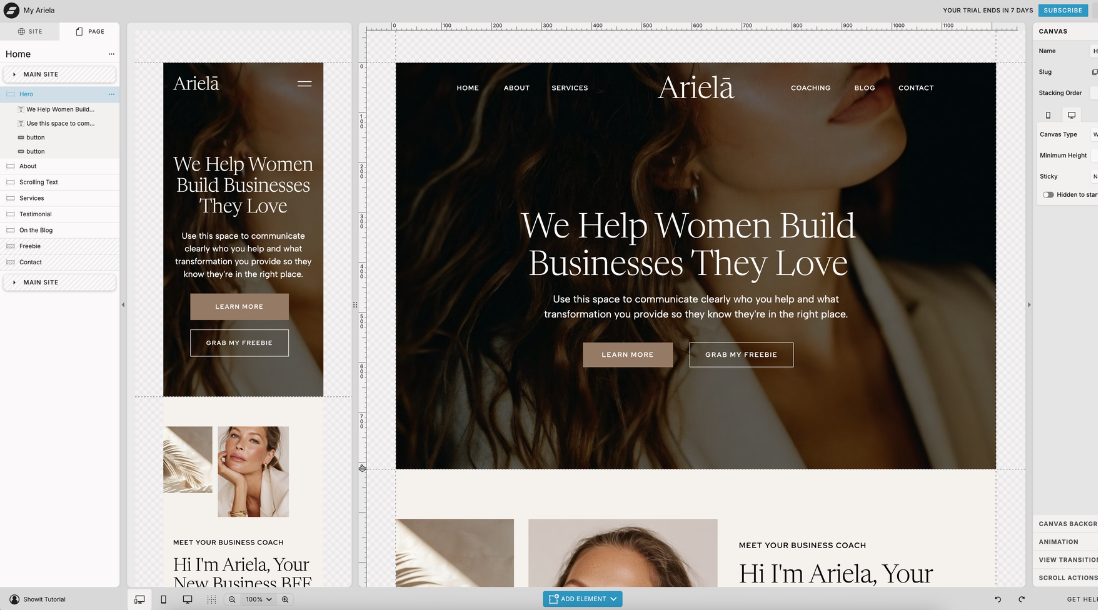
Showit is a drag-and-drop website platform that gives you a high level of control over how your website looks without requiring you to know how to code. Unlike platforms that rely heavily on rigid sections or layouts, Showit allows you to place and customize elements much more freely.
That flexibility makes it especially popular among coaches, photographers, designers, consultants, and other service-based businesses that want their website to feel distinctive and aligned with their brand.
Another standout feature is Showit’s integration with WordPress for blogging. Your main website is designed and managed in Showit, while your blog uses the publishing capabilities of WordPress. This gives content-focused businesses an appealing combination: Showit’s design freedom with WordPress’s powerful blogging platform.
Why Choose Showit?
One of Showit’s biggest strengths is how easy it is to customize your website visually. You can change colors, fonts, images, layouts, and other design elements using its drag-and-drop editor, making it a great option if you want creative control without getting into code. You can literally drag any design or text element anywhere on the page.
Showit also provides built-in SEO controls, responsive design capabilities, hosting, and WordPress blogging on eligible plans.
Showit Pros and Cons
Pros
- Highly customizable drag-and-drop design
- No coding required for most website customization
- Excellent creative freedom
- Mobile layouts can be customized independently
- WordPress integration for blogging
- Works especially well with professionally designed templates
- Hosting is included
Cons
- Not the strongest choice for businesses with extensive e-commerce needs
- More design freedom can mean more design decisions for complete beginners
- Some advanced functionality may require integrations with other tools
- WordPress blogging is available only on plans that include a blog
Who Is Showit Best For?
I’d recommend Showit most strongly for coaches, consultants, creatives, photographers, personal brands, and other service-based businesses where branding, storytelling, and lead generation are central to the website.
If your primary goal is to showcase your expertise, explain your services, publish helpful content, grow your email list, and encourage potential clients to work with you, Showit offers a great balance of design freedom and ease of use.
However, if the primary purpose of your website is managing a large online store with extensive inventory, I’d look toward a platform built specifically for e-commerce, such as Shopify.
And if Showit sounds like the right fit but designing an entire website from scratch isn’t your idea of a good time, a professionally designed template can give you a strategic head start. Our Ariela Showit Website Template was created specifically for coaches and service-based entrepreneurs who want a polished website they can customize for their own business.
02. WordPress: Best for Flexibility and Scalability
If flexibility is at the top of your list, WordPress is hard to beat.
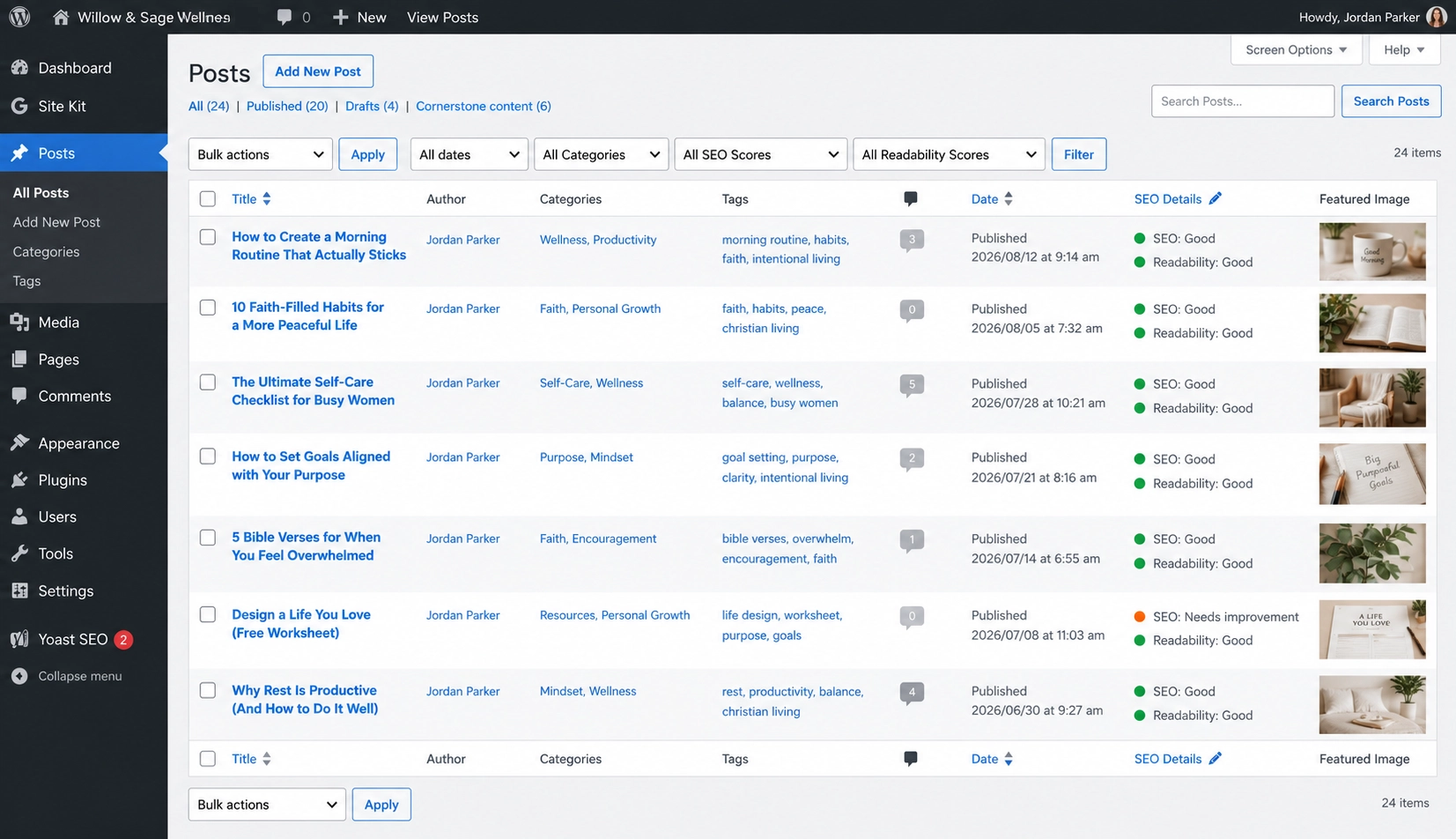
WordPress is an open-source content management system (CMS) that gives you extensive control over your website. Unlike an all-in-one website builder, WordPress allows you to choose your own hosting provider, theme, plugins, and other tools to create a website tailored to your business.
That flexibility means WordPress can support everything from a simple small business website or blog to an online store, membership site, resource library, or more complex website with custom functionality.
The trade-off? With more flexibility comes a little more responsibility. You’ll typically need to manage things like hosting, software updates, plugins, security, and backups yourself or have a hosting provider or professional handle them for you.
WordPress.org vs. WordPress.com: What’s the Difference?
Before we go any further, let’s clear up something that confuses many people: WordPress.org and WordPress.com are not the same thing.
WordPress.org is the open-source WordPress software we’re referring to in this guide. You install it through a web host, and it gives you extensive control over your website, including your themes, plugins, functionality, and hosting.
WordPress.com is a hosted service built using WordPress software. Hosting is included, and much of the technical setup is handled for you, but your options and level of control depend on the plan you choose.
For the rest of this comparison, when we say WordPress, we’re talking about WordPress.org.
Why Choose WordPress?
The biggest reason to choose WordPress is flexibility.
Thousands of themes and plugins are available to extend what your website can do. Plugins are essentially add-ons that give your website additional functionality, such as contact forms, SEO tools, e-commerce, memberships, event calendars, and much more.
WordPress is also an excellent choice for businesses that plan to publish a lot of content. Blogging is built into the platform, and you have extensive control over your content, URLs, categories, navigation, and SEO.
If search engine optimization is an important part of your marketing strategy, WordPress also gives you access to a wide range of SEO tools and plugins. You can explore some of those options in our 7 Best SEO Plugins for WordPress guide.
WordPress Pros and Cons
Pros
- Extensive customization and flexibility
- Thousands of themes and plugins available
- Excellent blogging and content-management capabilities
- Strong SEO flexibility
- Can support e-commerce through tools such as WooCommerce
- Suitable for both simple and complex websites
- Gives you greater control over your hosting and website setup
Cons
- Steeper learning curve than many all-in-one website builders
- Hosting usually needs to be purchased separately
- Plugins, themes, and WordPress itself need to be maintained and updated
- Costs can increase when adding premium themes, plugins, or professional support
- Too many plugins or poorly maintained ones can create performance or compatibility issues
Who Is WordPress Best For?
WordPress is a strong choice for small businesses that want maximum flexibility and expect their website needs to become more complex over time.
It can be particularly valuable for businesses with content-heavy websites, extensive blogs or resource libraries, advanced integrations, membership functionality, or more customized requirements.
It’s also a good option if you want greater control over your website and hosting, and you’re comfortable managing some of the technical responsibilities that come with it.
If you’d rather have most of those technical pieces handled for you, an all-in-one platform may be a better fit. But if your response to “What if I want my website to do this really specific thing?” is likely to be “Yes, that too,” WordPress gives you plenty of room to build.
03. Squarespace: Best for an Easy, All-in-One Website
If you want a professional website without managing a lot of technical details behind the scenes, Squarespace is worth considering.
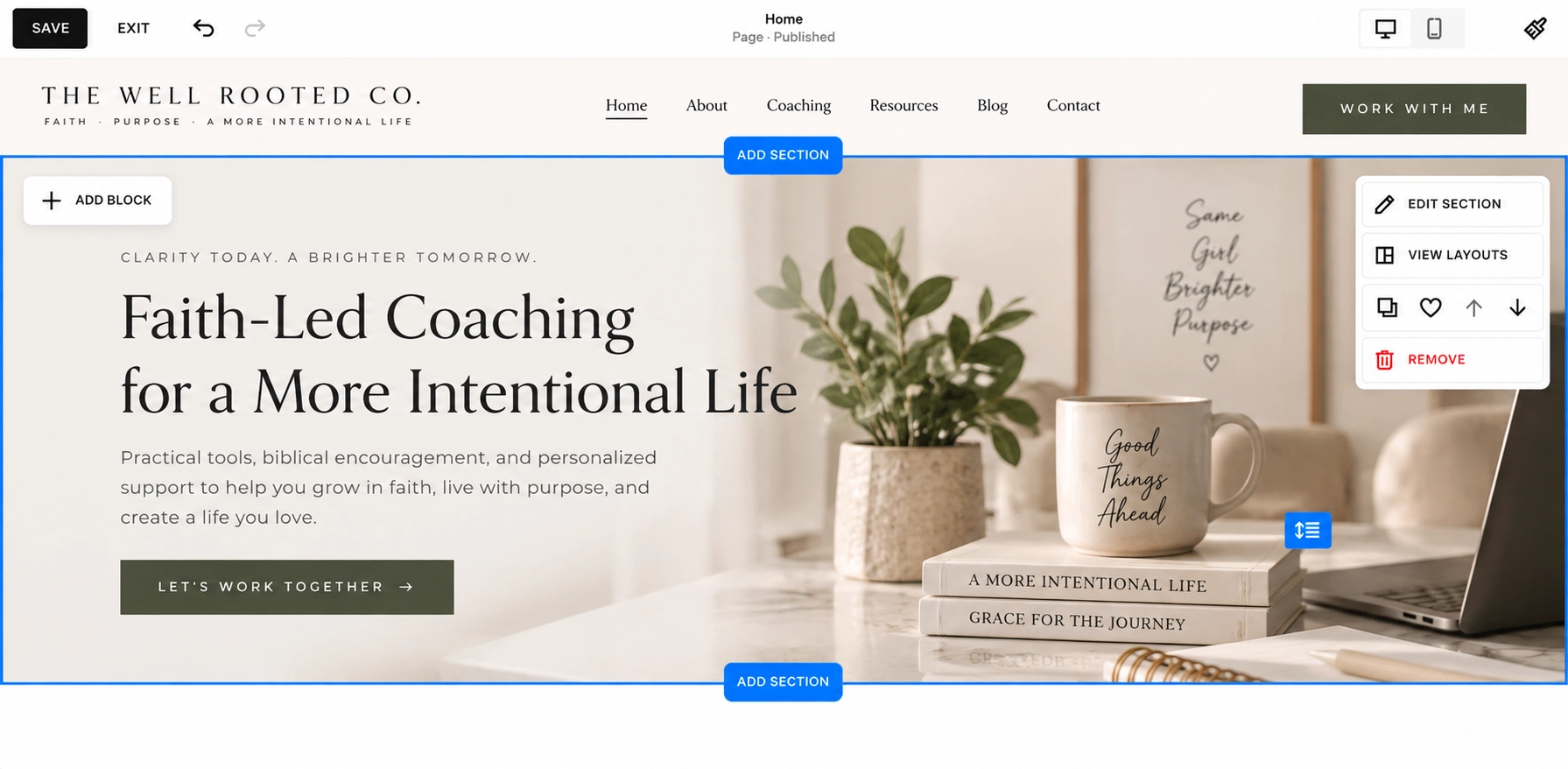
Squarespace is an all-in-one website builder that combines website design, hosting, content management, blogging, SEO tools, and e-commerce features within one platform. Instead of choosing separate hosting, installing plugins, or piecing together multiple tools, much of what you need to create and manage your website is already built in.
That simplicity makes Squarespace especially appealing to small business owners who want to build and maintain their own website without spending a lot of time managing the technology behind it.
Why Choose Squarespace?
One of Squarespace’s biggest strengths is convenience.
Its website editor and professionally designed templates give you a structured starting point, while still allowing you to customize your colors, fonts, images, layouts, and other brand elements.
Squarespace also includes many features small businesses commonly need, such as blogging, contact forms, analytics, scheduling options, marketing tools, and e-commerce capabilities. Because these features exist within the same ecosystem, you may not need to rely as heavily on third-party plugins or integrations to create a functional business website.
The trade-off is that you won’t have quite the same level of design freedom as Showit or the extensive customization possibilities of WordPress. For some business owners, however, that’s actually a benefit. Fewer choices can make it easier to build your website, make decisions, and move on with running your business.
Squarespace Pros and Cons
Pros
- Beginner-friendly, all-in-one website platform
- Hosting is included
- Professionally designed templates
- Built-in blogging and SEO tools
- E-commerce capabilities for businesses selling products or services
- Many business and marketing tools available within the platform
- Less technical maintenance than a self-hosted WordPress website
Cons
- Less design freedom than platforms like Showit
- Less extensible than WordPress for highly customized functionality
- Some advanced features and integrations may require higher-tier plans or additional services
- Businesses with very complex needs may eventually find the platform limiting
Who Is Squarespace Best For?
Squarespace is a strong option for small business owners, service providers, creatives, and entrepreneurs who want a polished website without a lot of technical maintenance.
It’s particularly appealing if you want your website, blog, basic e-commerce features, and other business tools within one ecosystem and don’t need extensive custom functionality.
If having complete creative control over every element of your website is important to you, Showit may be a better fit. If you anticipate needing highly customized functionality or significant room for technical expansion, WordPress may give you more flexibility.
But if your priority is essentially, “I want my website to look professional, work well, and please not give me another piece of technology to babysit,” Squarespace makes a pretty compelling case.
04. Wix: Best Website Builder for Small Business Looking for an Easy DIY Option
If you’re creating your first business website and want a platform that’s easy to get started with, Wix is another strong option to consider.
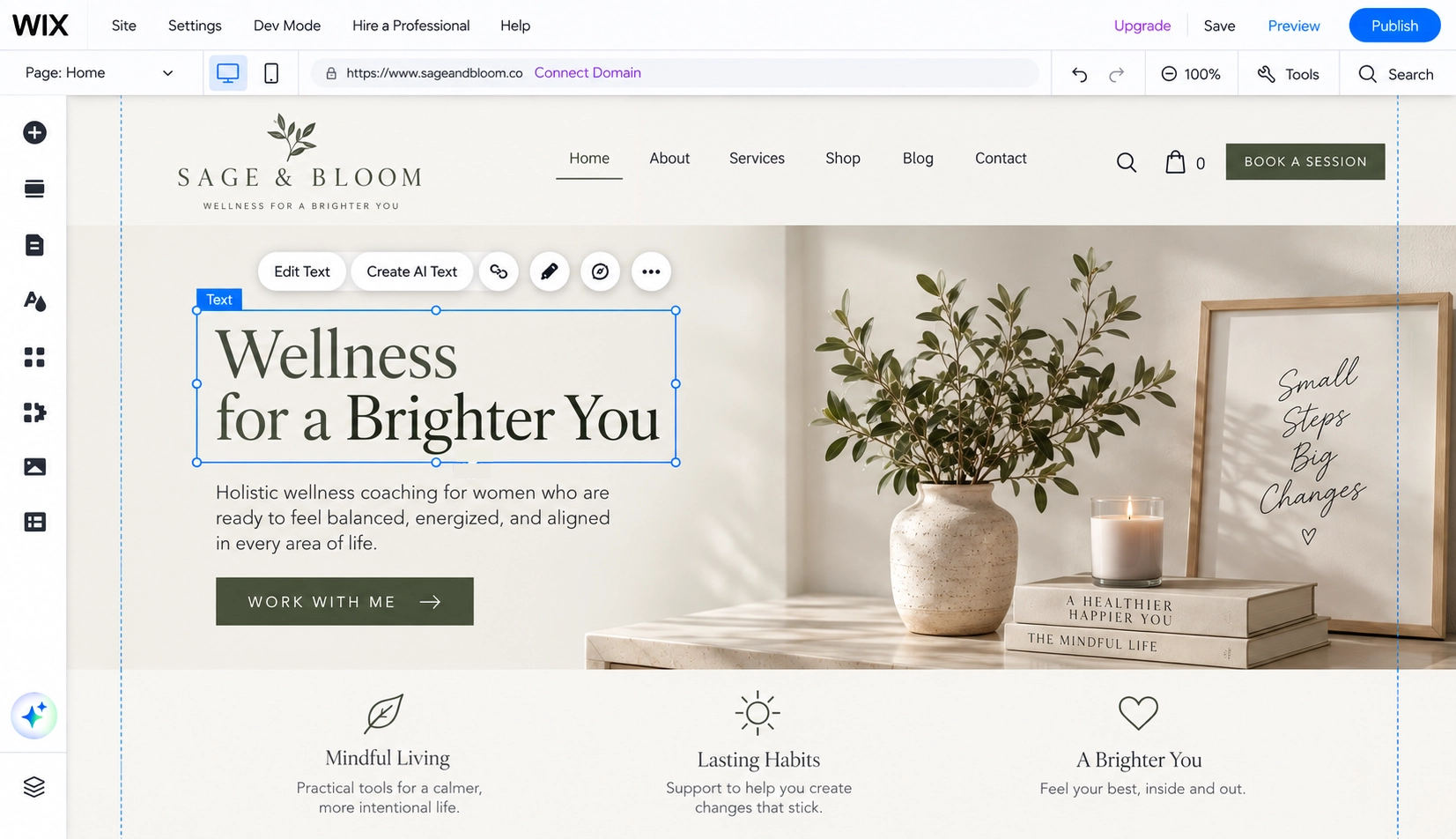
Wix is an all-in-one website builder that combines hosting, website design, SEO tools, e-commerce, marketing features, and other business tools within one platform. Its visual editor allows you to build and customize your website without needing to know how to code.
One of Wix’s biggest advantages is the sheer number of features available. Whether you need appointment scheduling, online payments, a blog, an online store, forms, email marketing, or other business functionality, Wix likely has a built-in feature or app to help.
Why Choose Wix?
Wix is designed to make creating a website fairly easy, even if you’ve never built one before.
You can start with a template and customize your colors, fonts, images, content, and layouts using a visual editor. Wix also offers AI-assisted website creation tools that can help generate a starting point based on information about your business.
This combination of ease of use and built-in functionality makes Wix particularly useful for small business owners who want to create and manage their website themselves.
There is a small catch: lots of options are still lots of options. Wix gives you considerable flexibility, but beginners may need some time to familiarize themselves with everything available. And as your website becomes more complex, you may find that managing all of those features requires a little more attention than your simple five-page website did in the beginning.
Wix Pros and Cons
Pros
- Beginner-friendly visual website builder
- Hosting is included
- Large selection of templates
- Extensive built-in business and marketing tools
- Blogging and SEO features
- E-commerce capabilities
- Large app marketplace for additional functionality
- AI-assisted website creation tools
Cons
- The number of features and customization options can feel overwhelming at first
- Less open-ended flexibility than a platform like WordPress
- Highly customized or complex businesses may eventually need capabilities beyond an all-in-one builder
- Some features, apps, or advanced functionality may increase your overall cost
Who Is Wix Best For?
Wix is a good fit for small business owners and entrepreneurs who want to build and manage their own website without needing extensive technical knowledge.
It’s particularly useful for businesses that need several tools in one place, such as online booking, payments, blogging, marketing, or e-commerce, but still want an approachable visual website builder.
If you prefer more structured design guidance and a streamlined experience, Squarespace may feel like a better fit. If having extensive creative control over the visual design is your top priority, Showit may appeal to you more.
But if your wishlist sounds something like, “I need a website, booking system, forms, payments, a blog…oh, and could it please be fairly easy to use?” Wix is absolutely worth considering.
05. Shopify: Best for E-Commerce Businesses
If selling products online is the primary purpose of your website, Shopify should be high on your list.
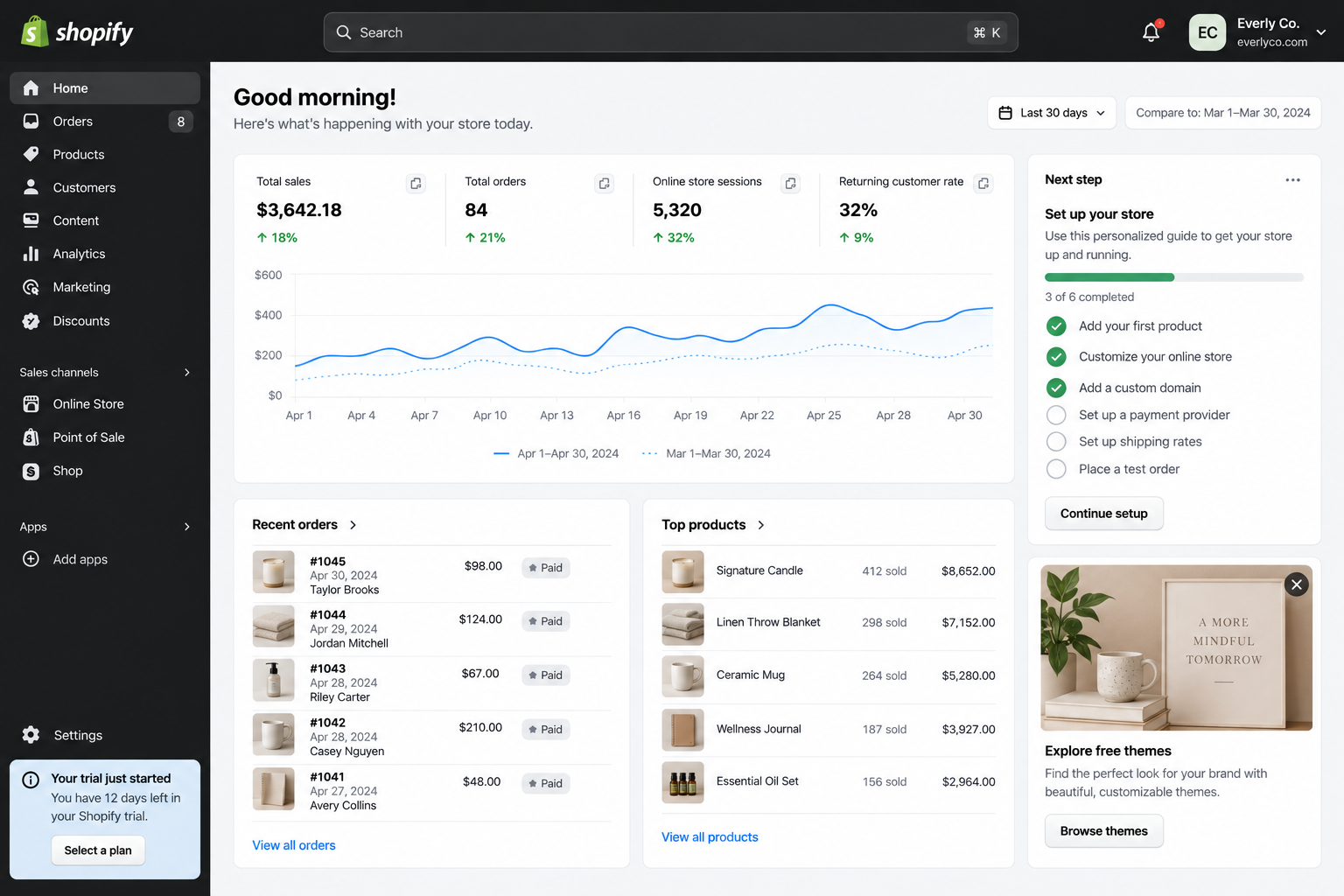
Shopify is an e-commerce platform designed specifically to help businesses sell products online and manage the day-to-day operations that come with running an online store. In addition to building your storefront, you can manage products, inventory, payments, orders, shipping, customers, discounts, and other e-commerce functions from one platform.
While platforms like Squarespace and Wix also offer e-commerce capabilities, Shopify’s biggest advantage is that online selling is at the center of the platform, rather than being one feature among many.
Why Choose Shopify?
Shopify is built to support businesses throughout the entire selling process.
You can create product pages, organize collections, accept payments, manage inventory, offer discount codes, configure shipping, track orders, and view sales data from your dashboard. It also offers a large app ecosystem that allows you to add additional functionality as your store grows.
That makes Shopify especially useful for businesses with a growing product catalog or more advanced e-commerce needs.
It’s also designed to support selling beyond your website. Depending on your setup, Shopify can help you manage sales across online and in-person channels from the same commerce system.
The trade-off is that if you’re primarily a coach, consultant, photographer, or another service provider who only plans to sell a handful of digital products, Shopify may be more e-commerce power than you actually need.
Shopify Pros and Cons
Pros
- Built specifically for e-commerce
- Robust product and inventory management
- Integrated payment and checkout tools
- Shipping and order-management features
- Supports online and in-person selling
- Large marketplace of apps and integrations
- Can support businesses as their product catalog and sales grow
- Includes hosting
Cons
- May be more than a service-based business needs
- Less design freedom than a design-focused platform like Showit
- Apps and additional functionality can increase the overall cost
- Some customizations may require more technical knowledge or professional help
- Content and blogging tools aren’t the platform’s primary strength
Who Is Shopify Best For?
Shopify is best suited for product-based businesses where e-commerce is a central part of the business model.
Think online boutiques, beauty and wellness brands, specialty retailers, makers, subscription-product businesses, and other companies that need to manage products, orders, inventory, payments, and fulfillment regularly.
If you’re a service provider who occasionally sells an ebook or digital resource, you probably don’t need an entire commerce platform just to process a few transactions. A platform like Showit, Squarespace, or Wix paired with the appropriate selling tools may be more practical.
But if you’re looking at your growing product catalog and thinking, “Okay, we’re going to need a bigger boat,” Shopify is built for that.
So, Which Website Builder Is Best for Your Small Business?
After comparing all five platforms, you may still be wondering: Which one should I actually choose?

The best website builder for your small business comes down to your goals, the functionality you need, how much control you want, and how comfortable you are managing your website.
Here’s the simplest way to think about it:
Choose Showit if creative freedom is your priority.
Showit is a great fit for coaches, consultants, creatives, and service-based businesses that want plenty of freedom to create a beautiful, highly customized website without coding. It’s especially worth considering if your website’s primary job is to showcase your expertise, generate leads, and connect potential clients with your services.
Choose WordPress if flexibility and scalability are your priorities.
WordPress makes sense if you want extensive control over your website or anticipate needing more advanced functionality as your business grows. It’s particularly strong for content-heavy websites, blogs, resource libraries, memberships, and businesses with more complex website needs.
Choose Squarespace if simplicity is your priority.
Squarespace is a strong choice if you want an attractive, professional website without managing a lot of technical details. Its all-in-one approach makes it especially appealing to small business owners who value convenience and don’t need extensive customization.
Choose Wix if ease of use and built-in tools are your priorities.
Wix works well for beginners who want to DIY their website while having access to a broad range of business tools. If you need features like scheduling, payments, forms, marketing, blogging, or e-commerce within an approachable platform, Wix is worth exploring.
Choose Shopify if selling products is your priority.
If e-commerce is at the heart of your business, Shopify is likely to make the most sense. Its tools are built specifically around selling and managing products, making it a strong choice for online stores that need inventory, order management, shipping, payments, and other commerce features.
💡 Quick Exercise
Still deciding? Grab a notebook and answer these five questions:
- What is the primary purpose of my website?
Is it generating leads, booking services, publishing content, selling products, or something else? - What functionality do I actually need?
Think about features like blogging, appointment scheduling, e-commerce, email marketing, memberships, courses, or integrations. - What might my business realistically need in the next two or three years?
You don’t have to plan for every possibility. Just consider the direction you expect your business to grow. - How comfortable am I managing website technology?
Be realistic about how much time and energy you want to spend maintaining your website. - How much support do I want with the design?
Do you want to build everything yourself, start with a professionally designed template, have a template customized for you, or hire a designer for a completely custom website?
Once you’ve answered these questions, go back through the platforms above. You’ll probably find that one or two options make significantly more sense for your business than the others.
And if you’re still torn between two? That’s okay. At that point, you’re no longer choosing between every website builder on the internet. You’re choosing between two platforms that could genuinely work for you. You can then sign up for their free trial to get a feel of each platform and see which one works best for you.
Closing Thoughts: Choosing the Best Website Builder for Your Small Business
Choosing the best website builder for your small business doesn’t have to come down to finding the platform with the most features or the fanciest tools. It comes down to finding the one that supports what your business actually needs.
Think about your goals, the features that matter most, your comfort level with technology, and how you expect your business to grow. Whether you choose Showit, WordPress, Squarespace, Wix, or Shopify, each platform can be a great choice when it’s matched with the right business.
And remember, your website doesn’t have to do everything on day one. Start with what you need now, give yourself room to grow, and choose a platform that makes running your business easier, not more complicated.
If Showit feels like the right fit for your business, explore our professionally designed Showit website templates or learn more about our Website Template Customization service if you’d rather have the customization done for you.